The SOS Alerts feature gives employees the ability to quickly send out a call for help to all other POS iPads in the store if they require assistance or are being harassed while working.
To send this message, tap the SOS icon in the top-right corner of the screen to open a window that displays three alerts:
- I need some non-urgent help
- I’m feeling uncomfortable
- SOS - I need help now!
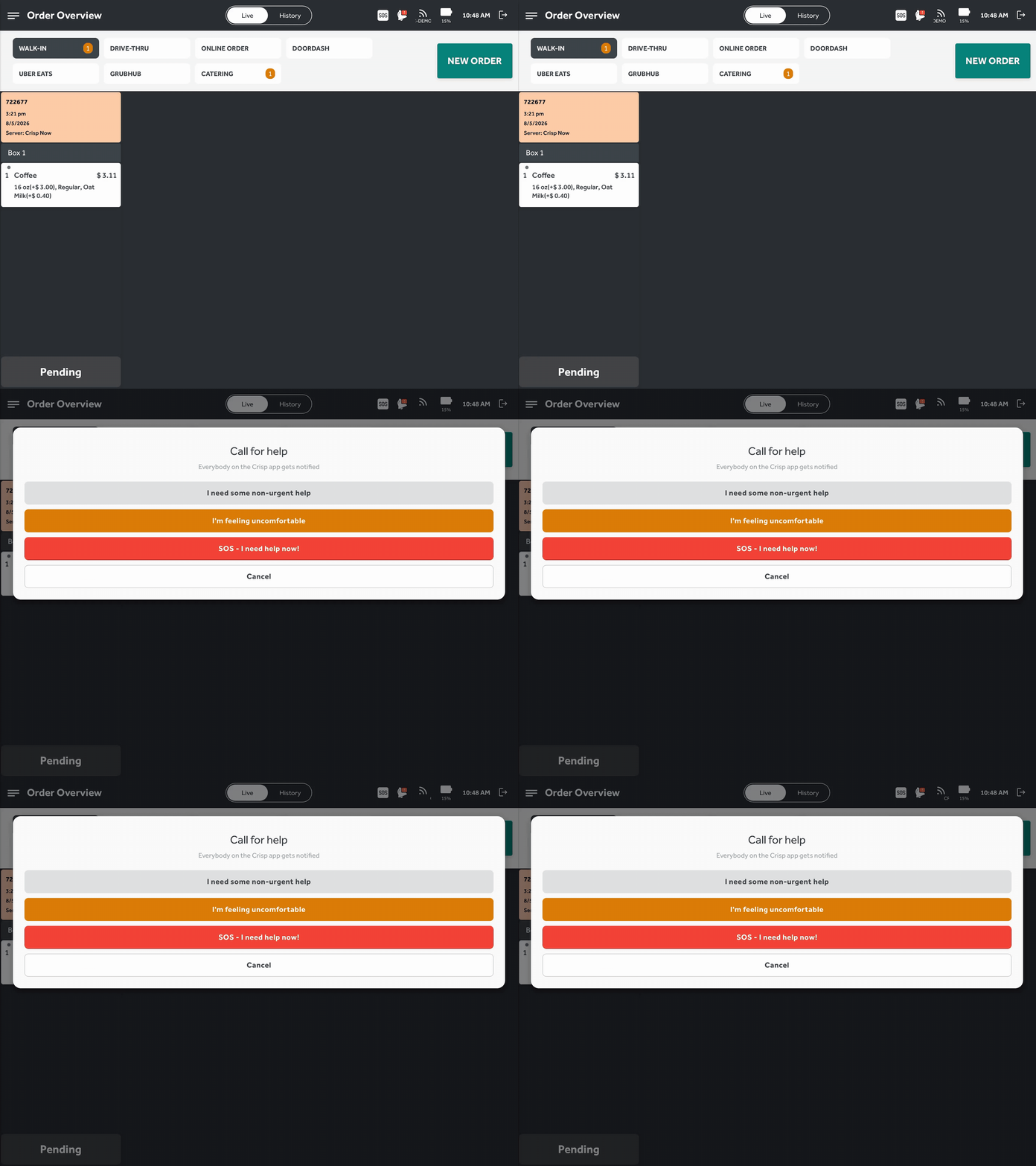
When any alert is tapped, a notification appears showing the first name of the employee who sent it, so all employees know who needs help. When the “SOS - I need help now!” option is selected, however, it sends the alert to the POS and prints the same message on all printers in the store to help someone reach the employee quickly.
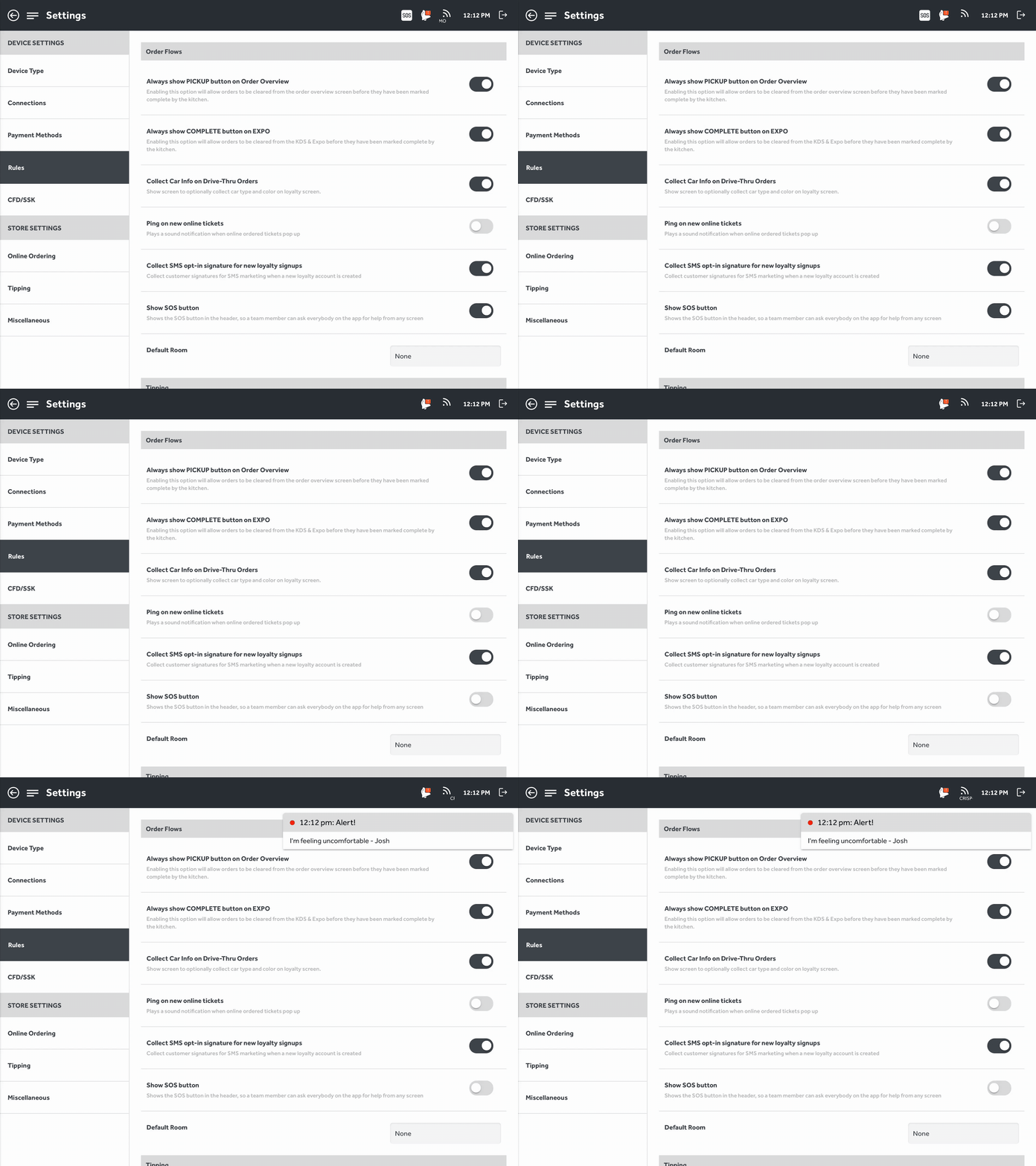
The SOS button is enabled by default as of app version 1.18.316, but you can hide it by going to the Rules tab in the POS settings and toggling the Show SOS Button option off. Disabling this only prevents sending SOS alerts from this POS, but it will still receive alerts when they’re sent.
Was this article helpful?
That’s Great!
Thank you for your feedback
Sorry! We couldn't be helpful
Thank you for your feedback
Feedback sent
We appreciate your effort and will try to fix the article