What is a House Account?
A house account is a store-specific billing account for partner companies/organizations. When using a house account for payment, transactions post in real time and payment happens later at a time of your own choosing outside the Crisp system.
You can think of a House Account as a “tab” set up for a particular business so that those associated with the account can order without upfront payment.
Why Use House Accounts?
House Accounts are a great way to drive business and collaboration with other local businesses. It gives the ability for the base level employees of the business to enjoy your products without the financial commitment on their end.
Setting up a House Account
Before creating a house account, it is highly recommended to have the company’s contact information for whoever will be charged at the time of payment to put into records. The only information needed to create the account is:
- A name for the House Account (Usually this is the company/organization name)
- A name for the company point of contact
To set up the account, follow the steps below
- Login to portal.crispnow.com
- On the left side menu, click Stores
- Click House Accounts at the top of the screen
- Click New House Account in the bottom right
- Enter in your information and save the account
Note: Keep in mind that these accounts are individual to each store and will never be transferrable. If you need the same account at multiple locations you will need to manually create it at each store.
Using a House Account for Payment
To use the House Account as a payment method, at the time of payment you will need to select “House Account” at the bottom of the screen and then select the proper account you want to charge.
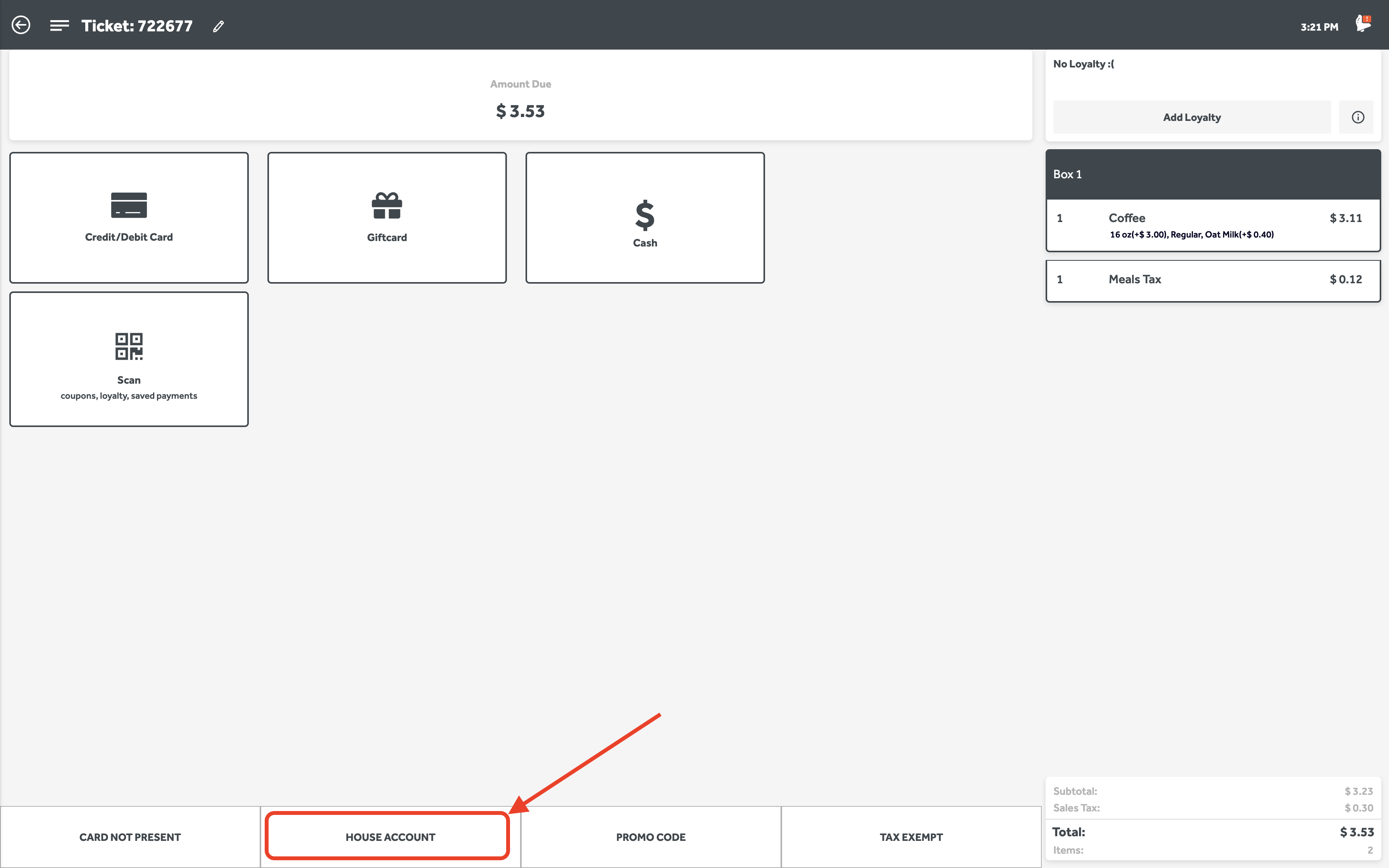
When used as payments, House Accounts will take the place of a cash/card transaction. This means that once the option is selected, it will automatically accept it as payment with no further checking since our system assumes the payment will be taken at a later time.
House Account Reporting and Reconciliation
Please remember that these orders have already processed through our system as a payment, so it will show on your sales reporting. If you settle a House Account by using either the POS or our Invoicing tool on the portal; please make sure to account for the double reporting in sales since the reconciliation will also be reported in sales.
Tax Exempt Accounts
Our Tax Exempt accounts are nearly the exact same as House Accounts, but any order where this type of account is used will automatically remove any tax calculation from the order. These accounts are most used for school districts that have special tax permissions or non-profit organizations.
To make a Tax exempt account, all you need to do at the time of making a House Account, you will need to fill in the last field labeled Tax Exempt ID
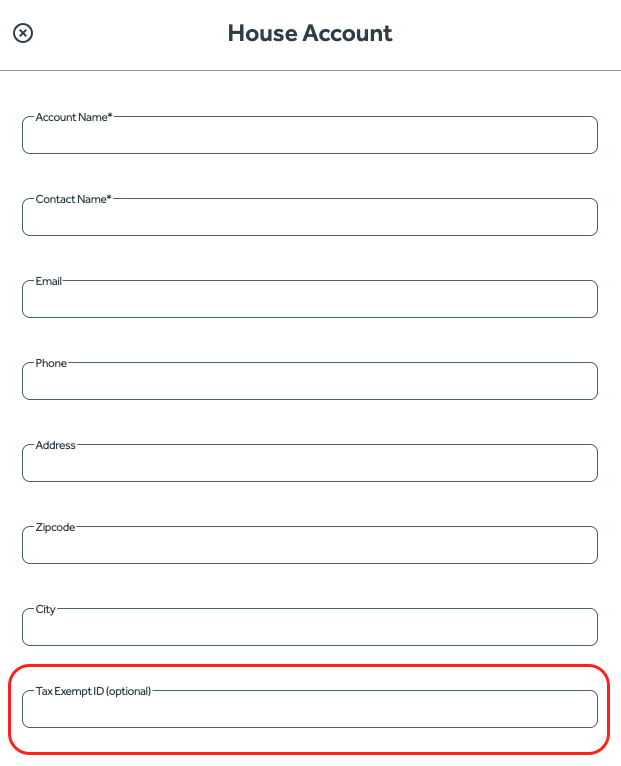
To use a Tax Exempt account, you will need to select Tax Exempt at checkout, similar to House Accounts. This will take a payment in the same way as house accounts do where you will need to settle the amount at a later time
Was this article helpful?
That’s Great!
Thank you for your feedback
Sorry! We couldn't be helpful
Thank you for your feedback
Feedback sent
We appreciate your effort and will try to fix the article