Crisp offers the ability to add/change images for your Menu Boards, Self Service Kiosks (SSKs) and Customer Facing Displays (CFDs)!
TABLE OF CONTENTS
Navigating to the Displays Screen
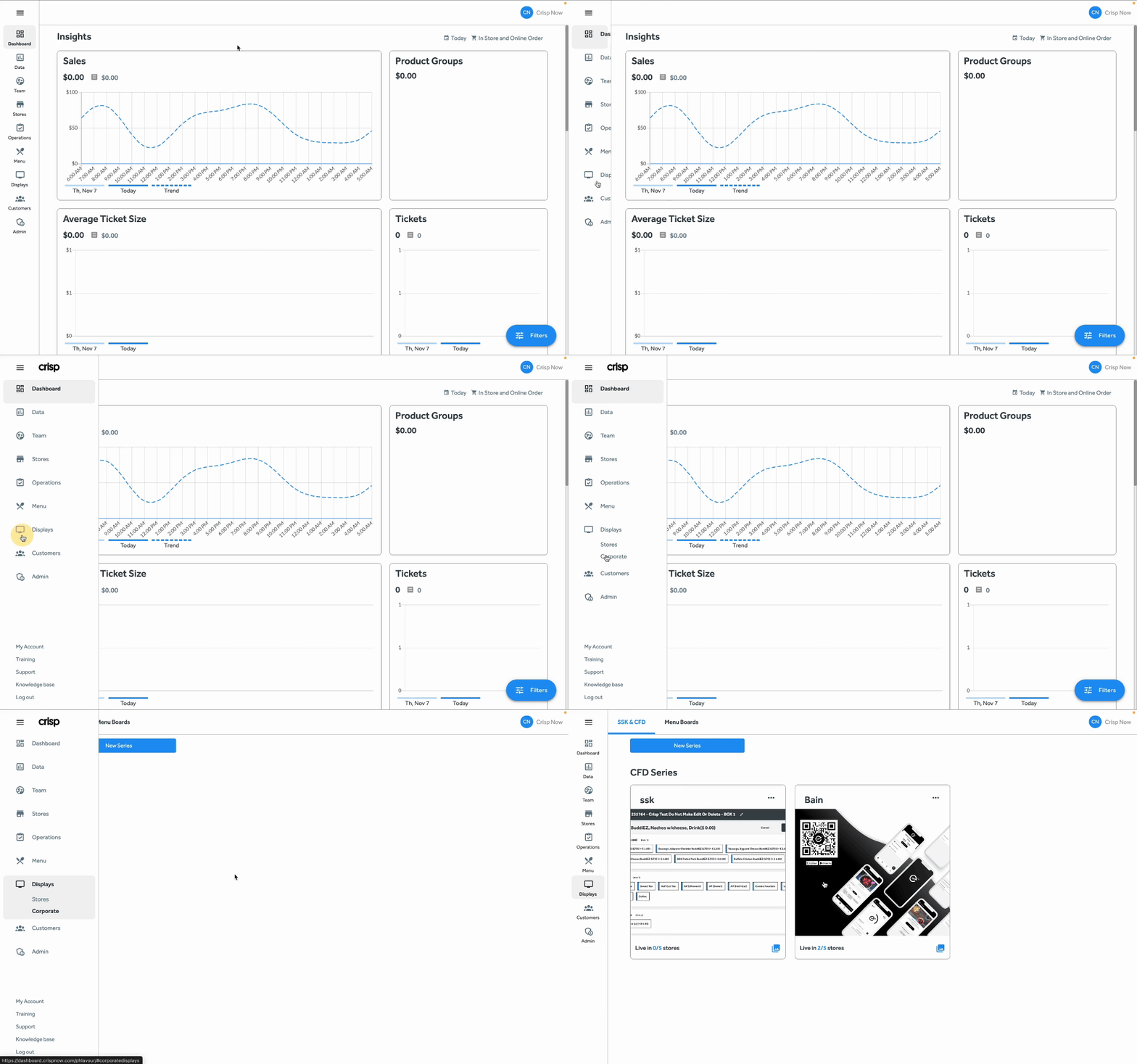
To make these changes, you'll log into your dashboard then select the Displays tab from the left side menu. Once you click this tab, two options will drop down on the side menu: Stores and Corporate. For the purposes of this article, we'll be going over the Corporate option.
If you do not see the Corporate tab under Displays, your job role does not have permission to access this page. Please reach out to your Corporate Team if you believe you should have this access as Crisp Support is not authorized to make this change for you.
SSK/CFD and Menu Boards
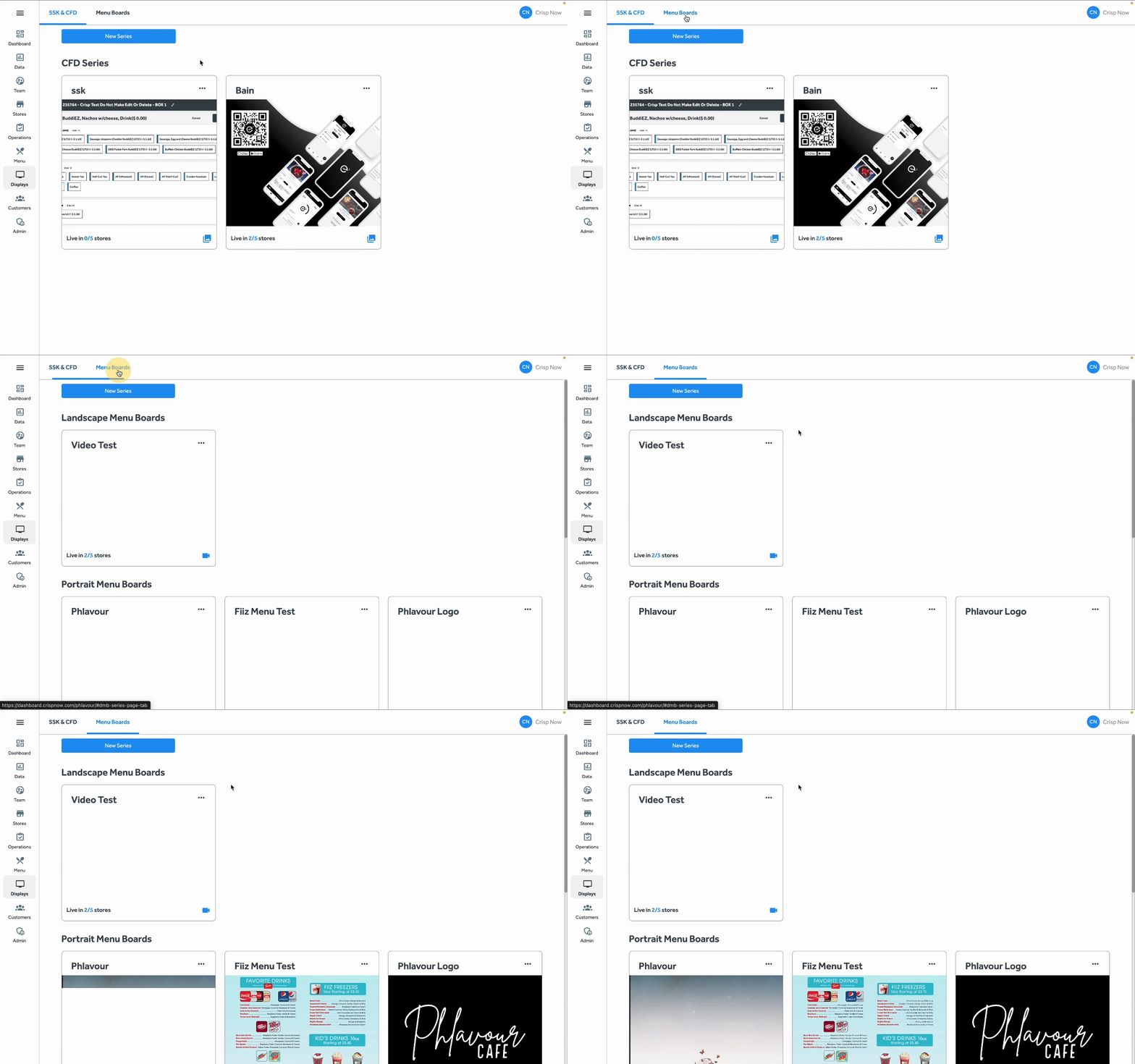
Once you're on the Displays screen, you will see two tabs: SSK/CFD and Menu Boards.
- SSK/CFD: Shows all SSK/CFD Series currently made.
- Menu Boards: Shows all Menu Board Series that have been made. There are two types of Menu Board Series that can be made: Portrait and Landscape.
Want to learn more?
To learn more about Series and editing your displays, please read the article Creating/Editing a Display Series
Was this article helpful?
That’s Great!
Thank you for your feedback
Sorry! We couldn't be helpful
Thank you for your feedback
Feedback sent
We appreciate your effort and will try to fix the article